Alerts with a forecast
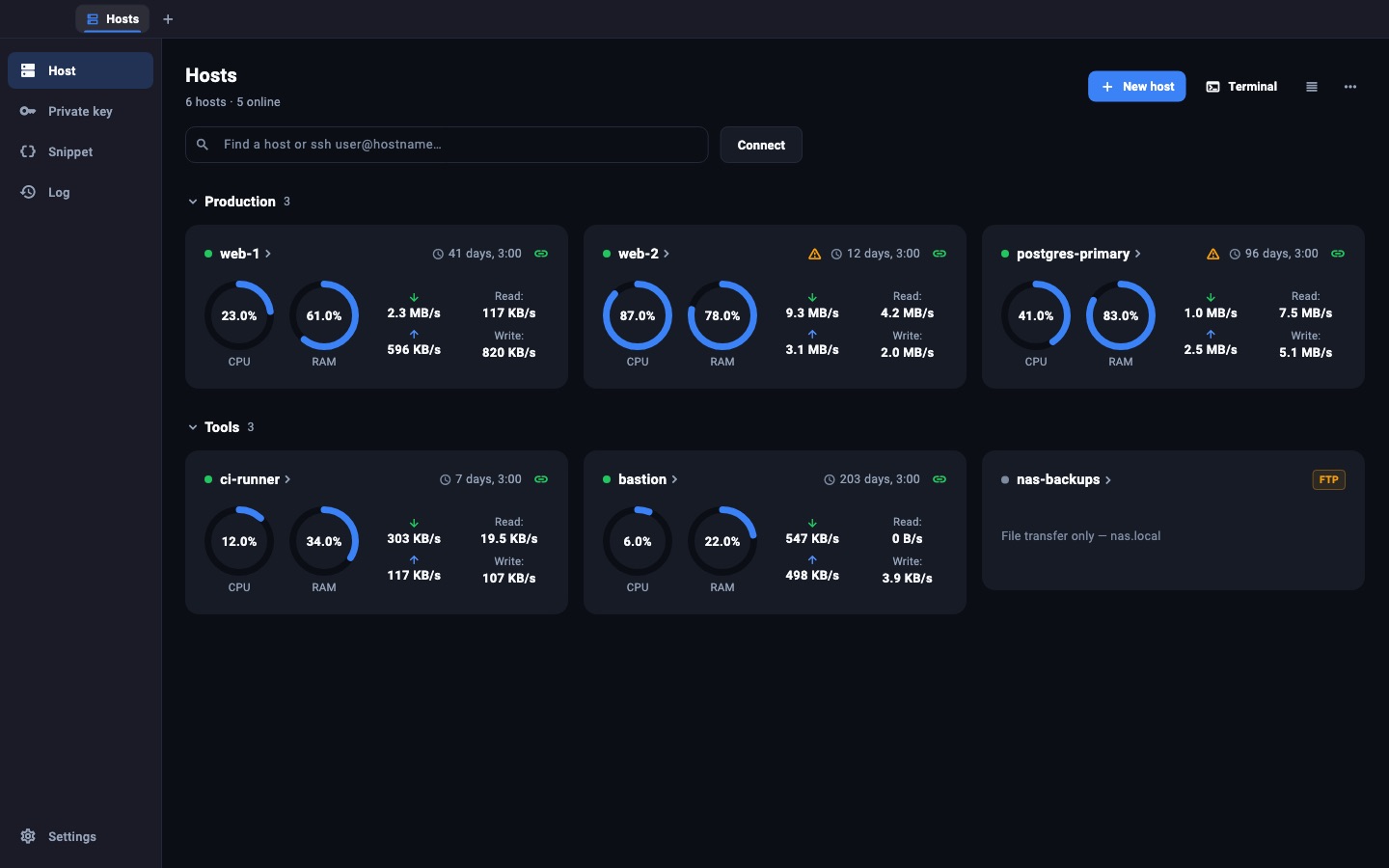
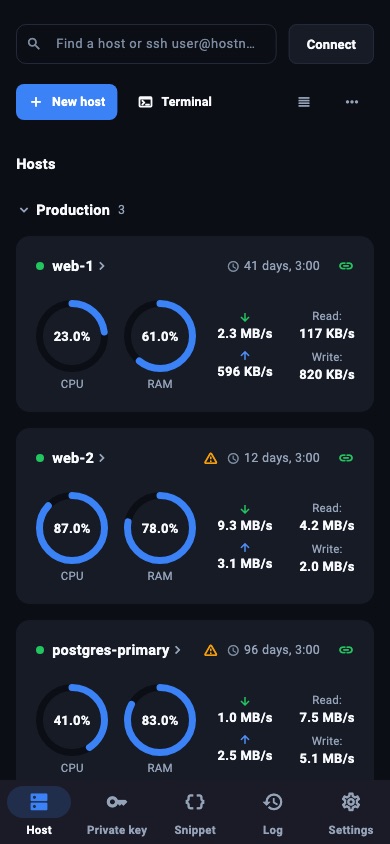
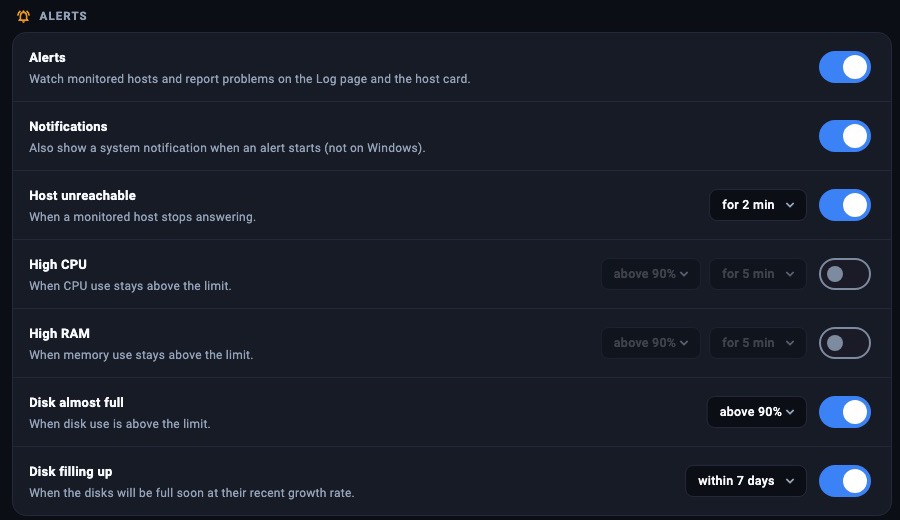
Host down, CPU or RAM high for too long, a disk past your limit. Shuttle keeps an hourly history of disk use and tells you how many days are left before it is full.
SSH · SFTP · Server monitor
Shuttle is a terminal, file manager and server monitor for people who keep machines alive. It warns you before a disk fills up, and it undoes a bad sshd_config before it locks you out.
iPhone, iPad and Android: coming to the App Store and Google Play.
Before it breaks
The monitor already polls each host over SSH. Shuttle turns those numbers into warnings you can act on, and makes risky edits reversible.
Host down, CPU or RAM high for too long, a disk past your limit. Shuttle keeps an hourly history of disk use and tells you how many days are left before it is full.
For sshd, netplan, ufw, nftables, iptables and firewalld:
Every save of a known config file is checked first (nginx -t, sshd -t, visudo…) and kept as a version. Compare any two side by side and restore with one click.
Tabs, snippets, and a key row for Ctrl, Esc and arrows on phones.
Drag between your disk and the server, edit permissions, open files in your own apps and upload the changes.
Syntax highlighting, find and replace, and a diff against the server copy before you save.
Follow tail -F, journalctl -f or container logs with level filters and search.
Compare a local folder with the server, preview every change, then sync. Upload on save while you work.
Local, remote and SOCKS forwarding. Reach private hosts through a bastion, like ProxyJump.
Start, stop and inspect containers and services, and see what is using the CPU.
Explain an error, a log or a config file with your own Claude or OpenAI-compatible key.
Your hosts on the home screen (free), and live on the lock screen and the Dynamic Island with Pro.
Status is read over the SSH connection you already have. No agent, no open port, no cloud relay.
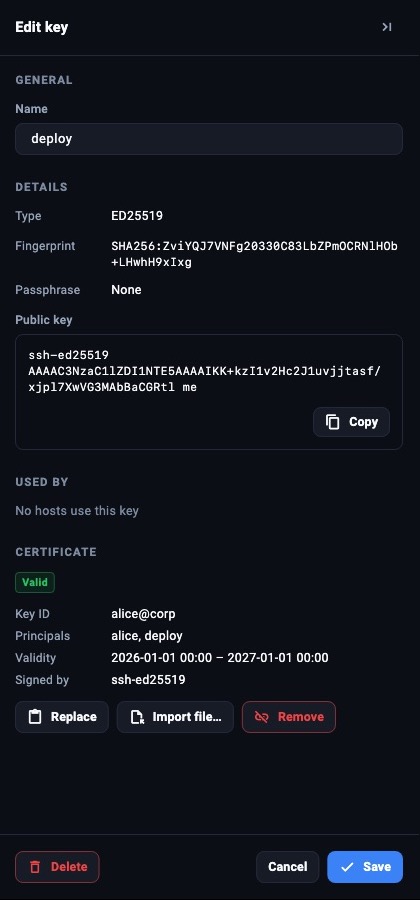
Sign in with your computer's agent (1Password, Secretive, YubiKey), OpenSSH certificates, or keys made in the iPhone's Secure Enclave that never leave the phone.
Unknown hosts ask first. A changed key blocks the connection until you confirm it by name.
Passwords and keys live in the system keychain. Backups and sync are sealed with AES-256-GCM using a password only you know.
Pricing
$0
$19.99 / year
or $2.99 a month, or $49 once for good
No. Shuttle runs standard commands over SSH. It reads Linux, macOS and FreeBSD hosts.
On your device, in the system keychain and an encrypted local database. They leave the device only inside an encrypted backup or sync file.
Yes, with one license: enter the key on your Mac, Windows and Linux computers and in the Android app from this site. On iPhone and iPad, Pro will come as an in-app purchase.
Your hosts, keys and settings stay. Pro tools lock again, and monitoring goes back to 3 hosts you choose.
Yes. The timer runs on the server (systemd-run, or setsid as a fallback), so it restores the old file even when Shuttle can no longer connect.

Free to download. No account needed.